
Curriculum
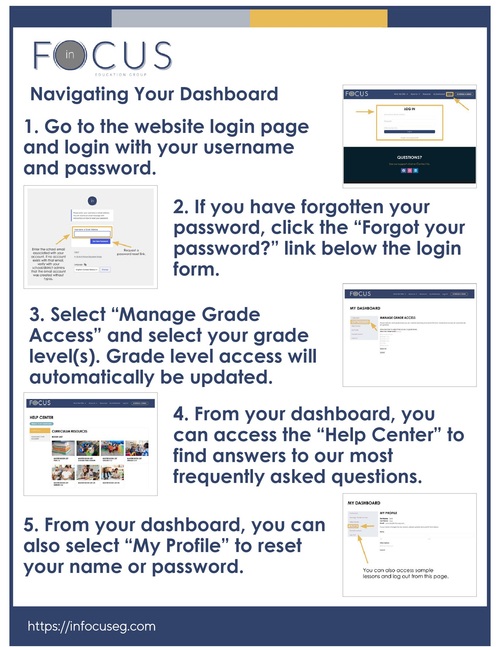
HOW TO NAVIGATE YOUR DASHBOARD
Use these instructions to navigate your In Focus dashboard.
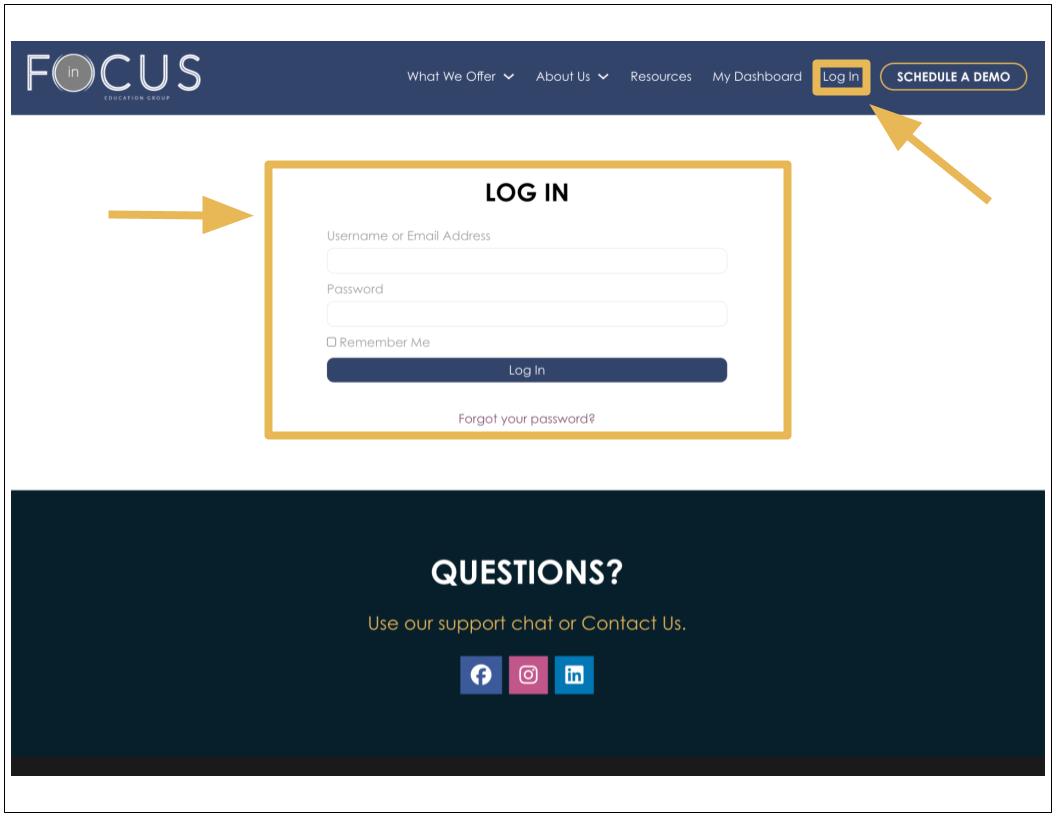
1. Go to the website login page.
2. Log in with your username and password.
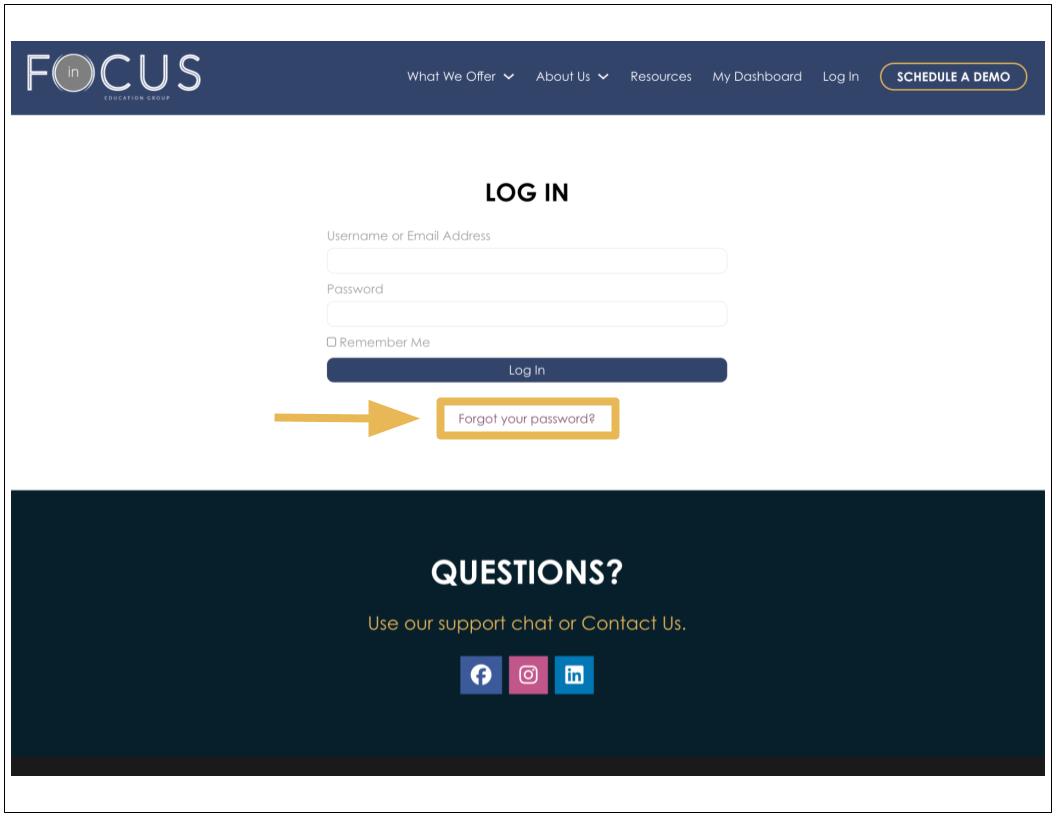
3. If you have forgotten your password, click the “Forgot your password?” link below the login form.
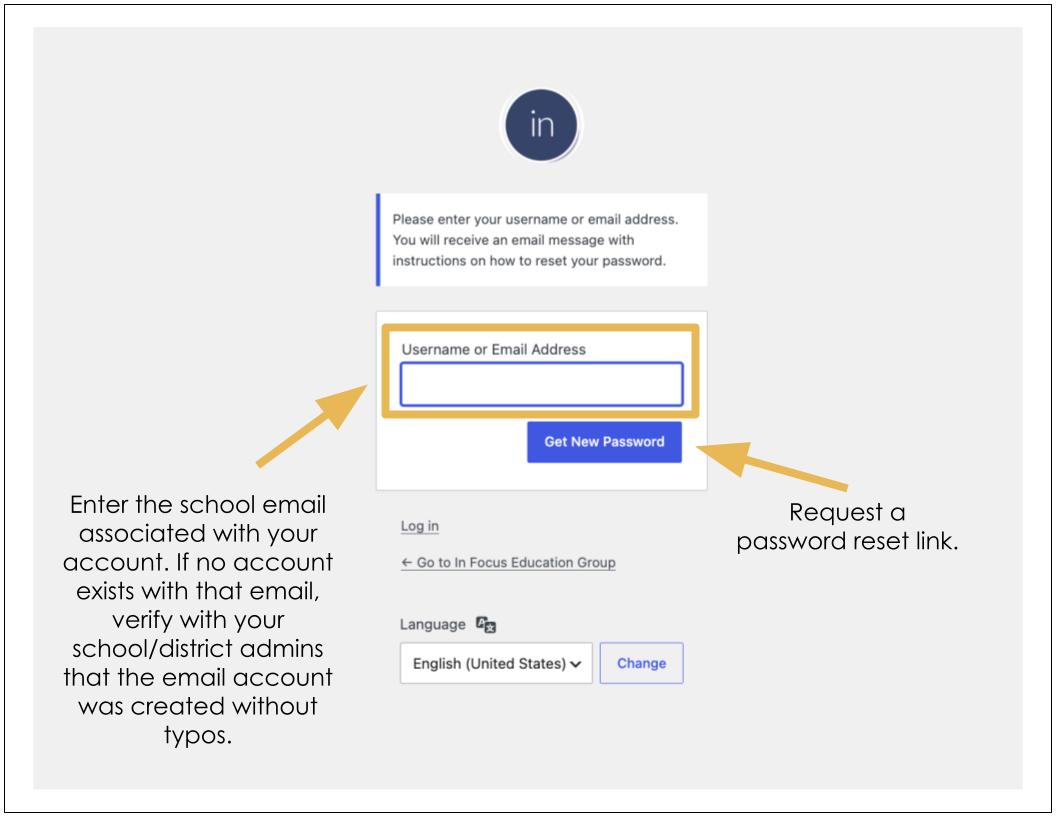
4. Enter the school email address or username associated with your account.
5. Click “Get New Password” or the password reset button.
6. Check your email inbox for a password reset email from the website.
7. See the “Resetting Your Password” article for additional password assistance.
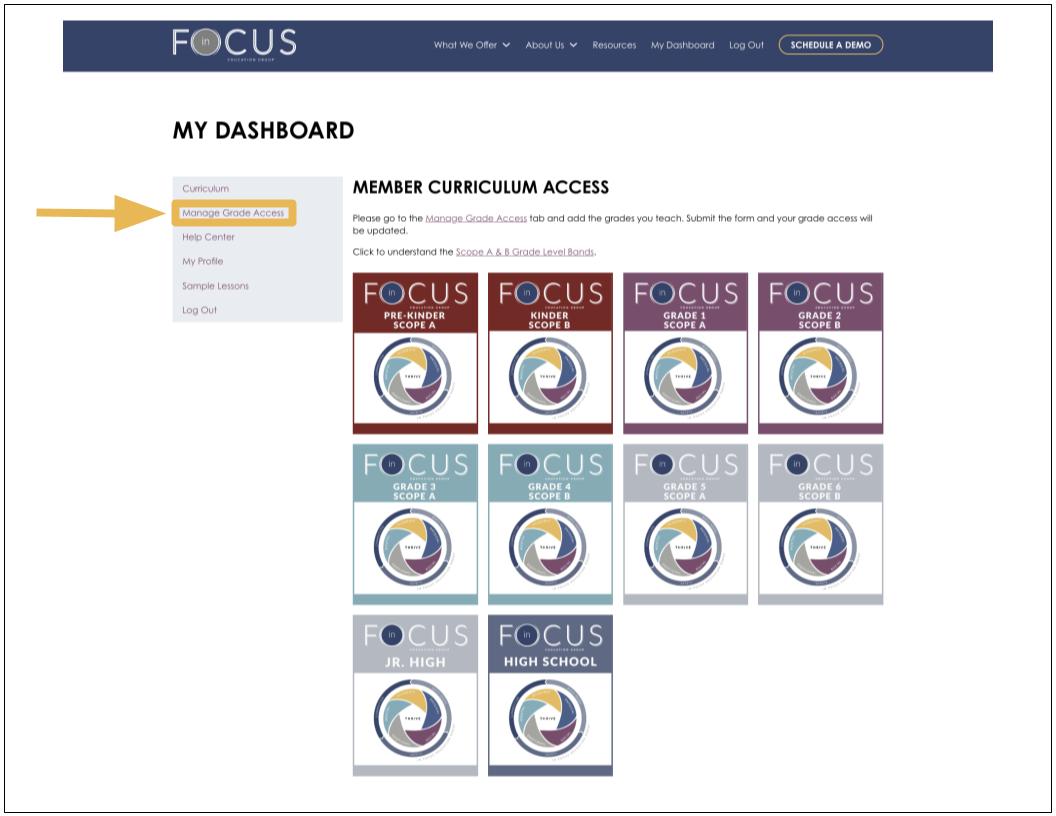
8. Select “Manage Grade Access” and select your grade level(s). Grade level access will automatically be updated. Note: School counselors and administrators should select all grade levels they interact with. You can add/change grade levels at any time.
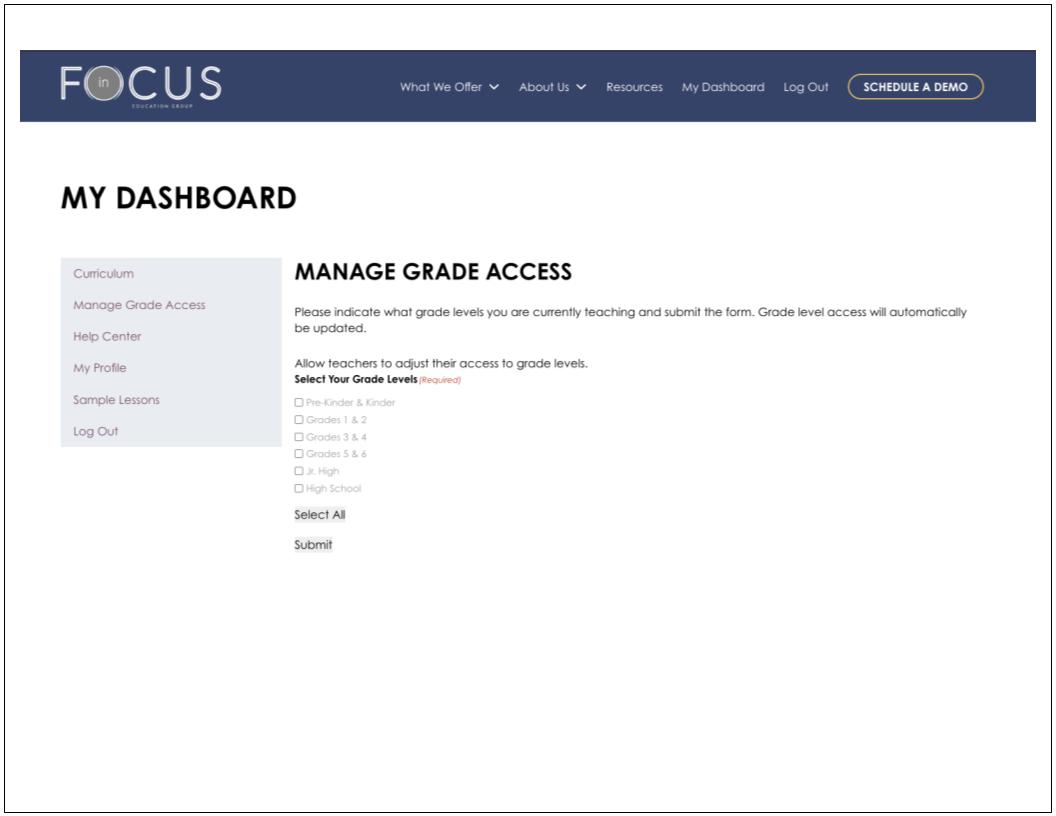
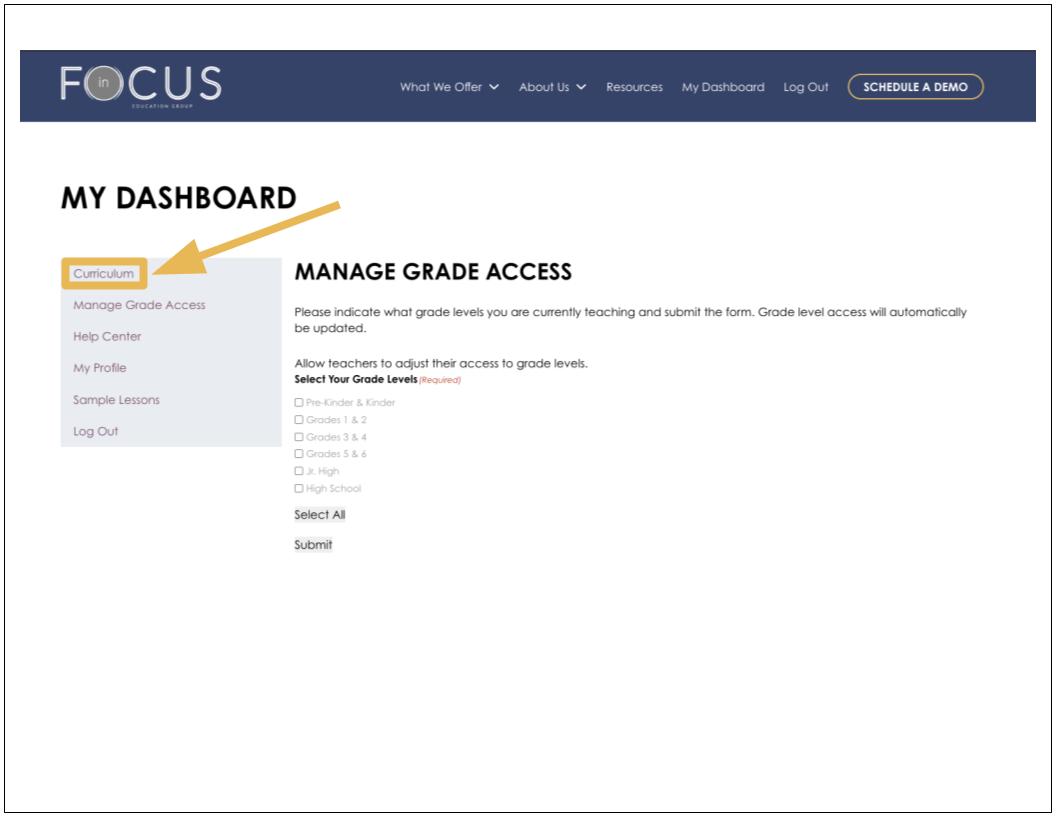
9. Select the “Curriculum” button to go back to your main dashboard.
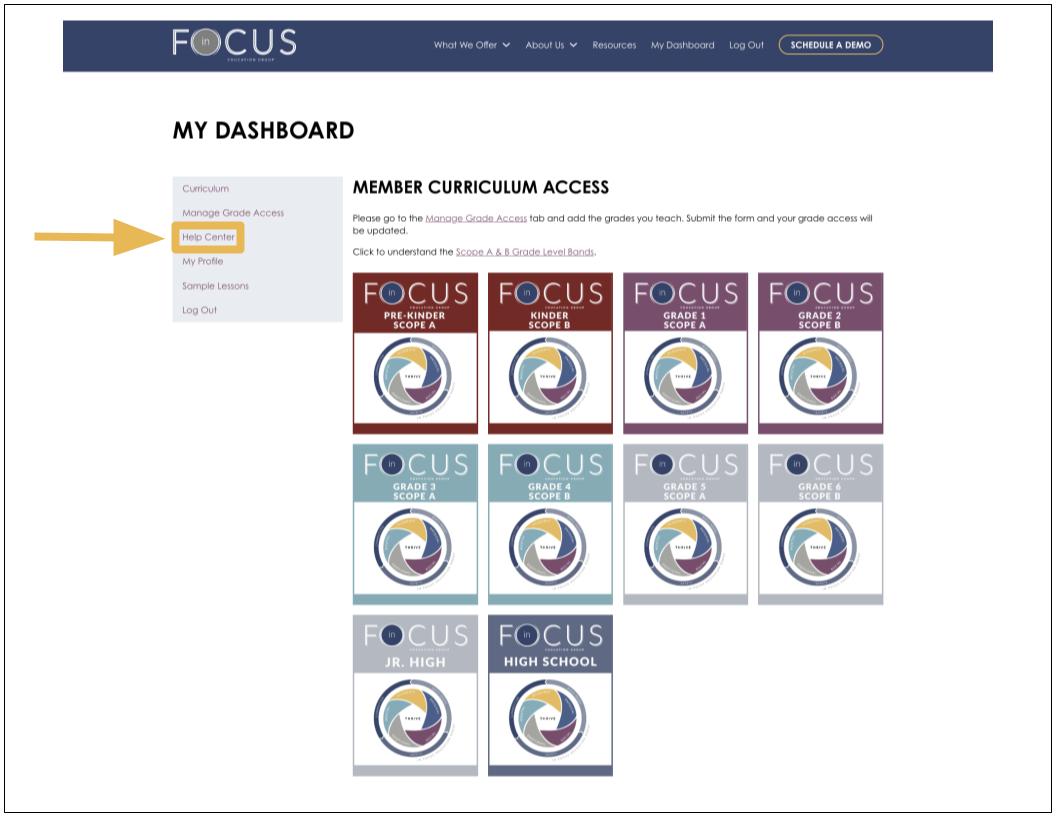
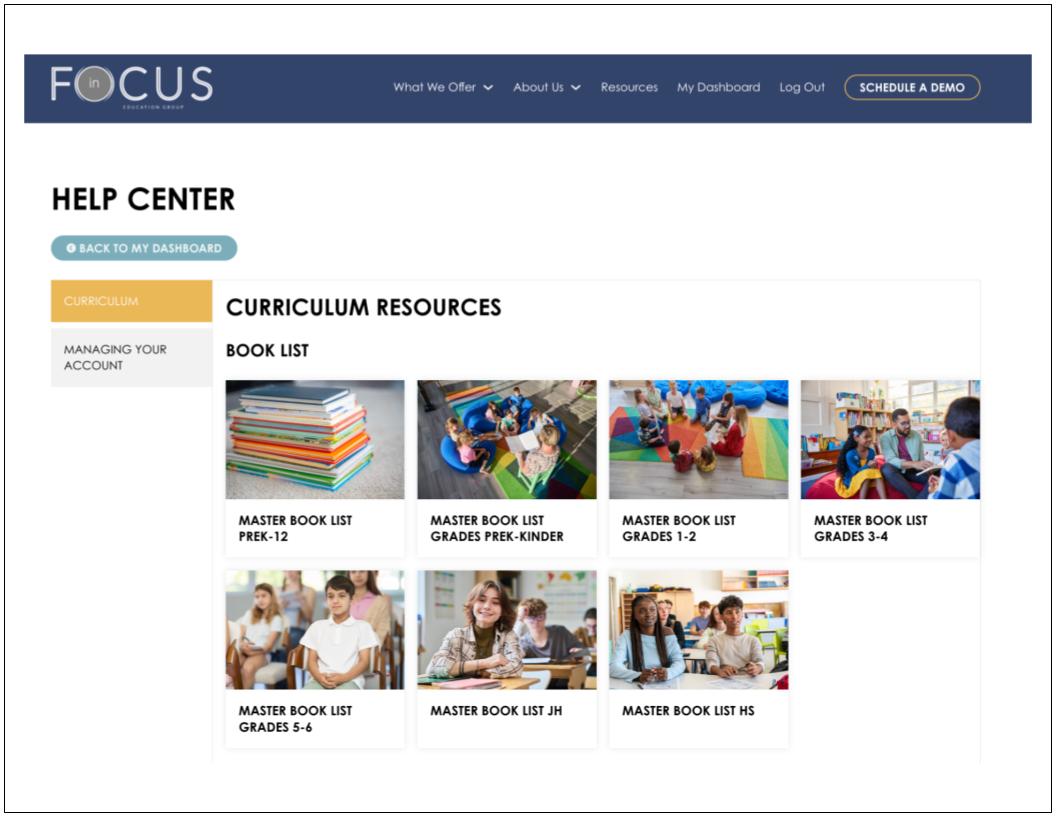
10. From your dashboard, you can also access the “Help Center” to find answers to our most frequently asked questions.
11. From your dashboard, you can also select “My Profile” to reset your name or password.
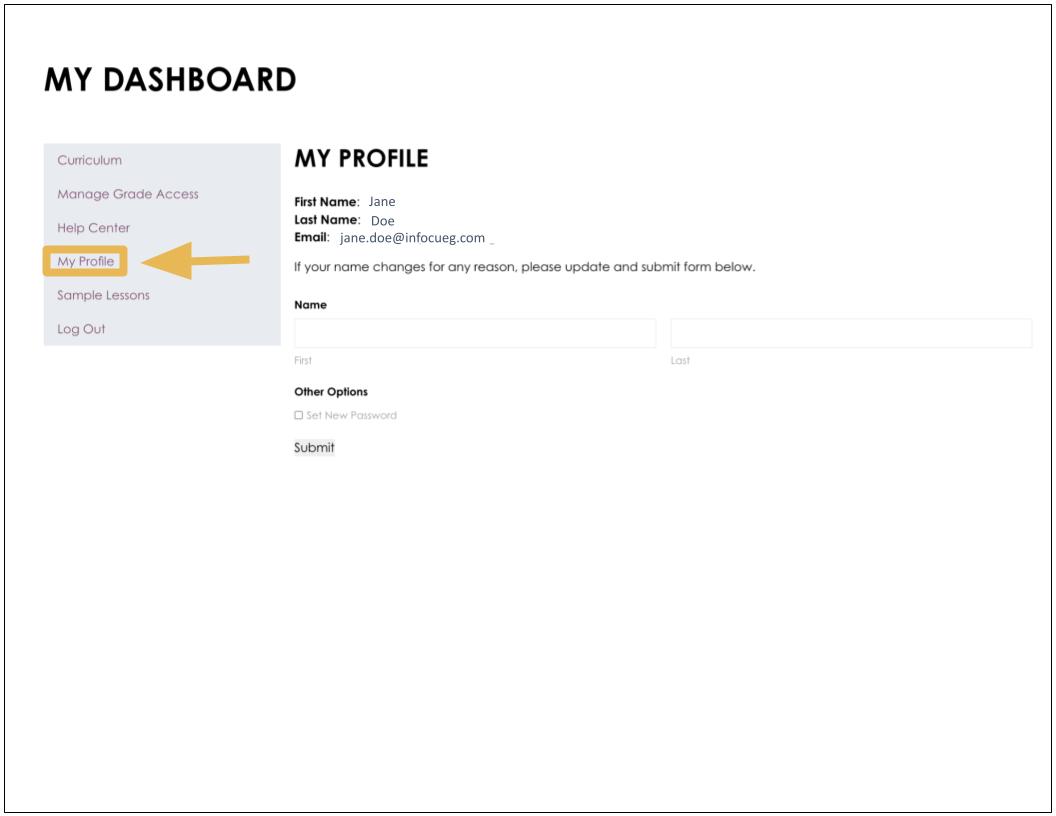
12. From your dashboard, you can also access sample lessons and log out.