
Curriculum
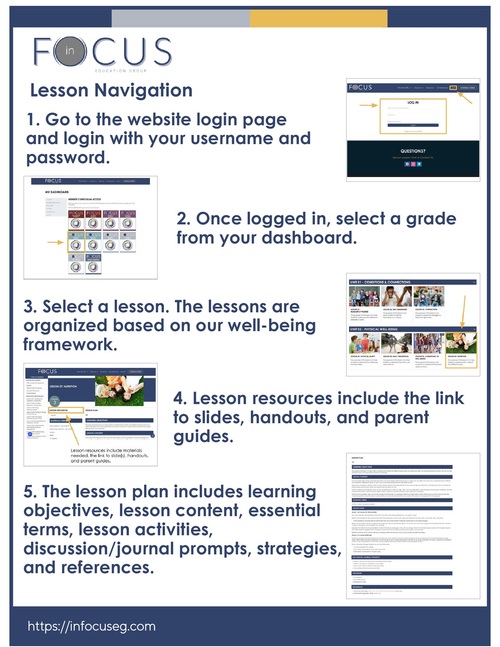
HOW TO NAVIGATE A LESSON
Use these instructions to navigate any In Focus lesson.
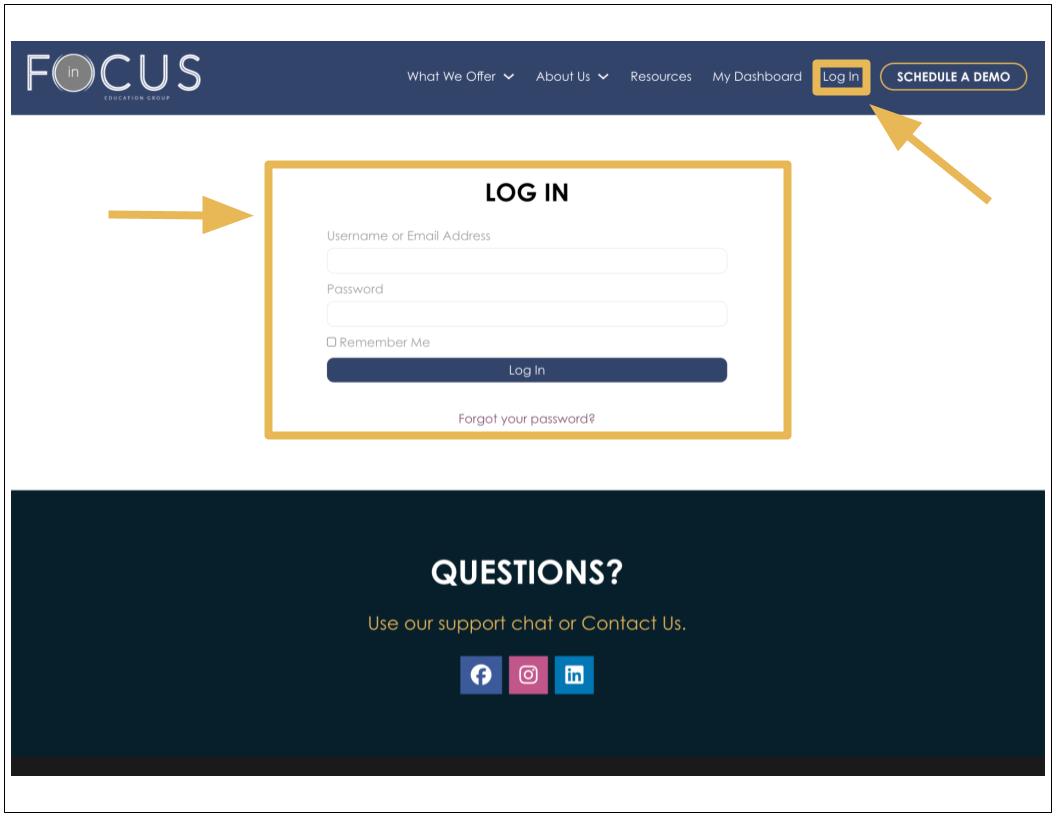
1. Go to the website login page.
2. Log in with your username and password. (See the “Resetting Your Password” article for password assistance.)
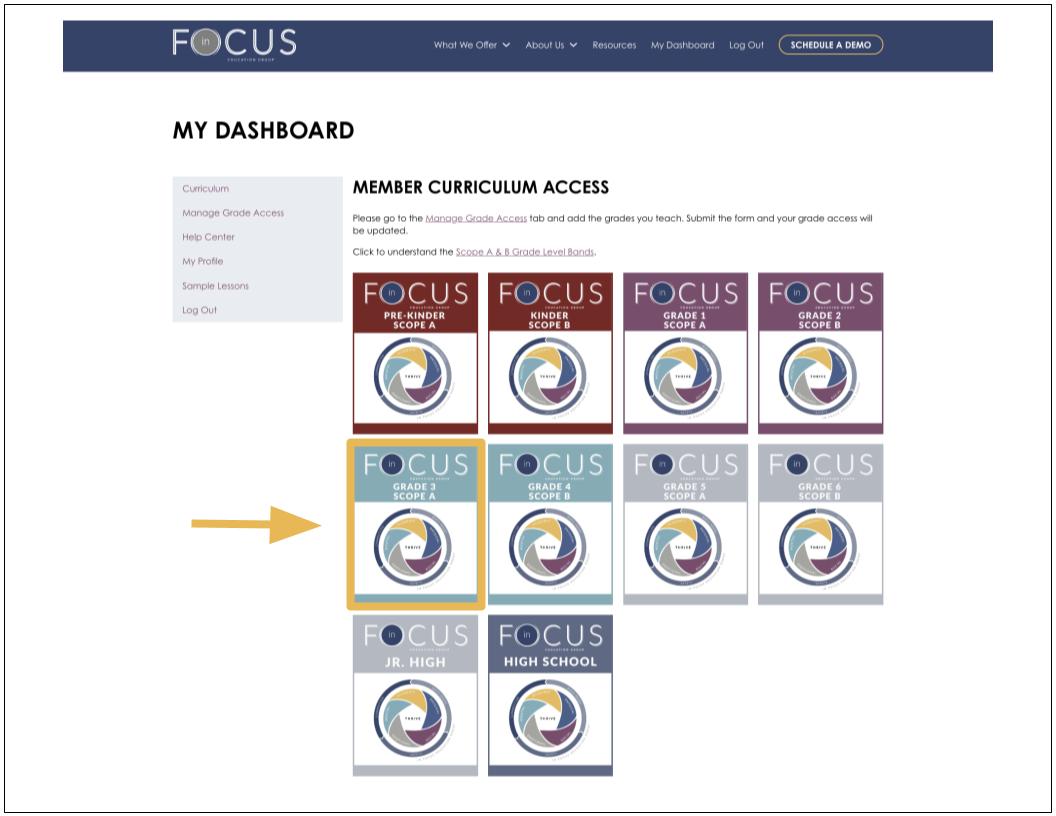
3. Once logged in, select a grade from your dashboard.
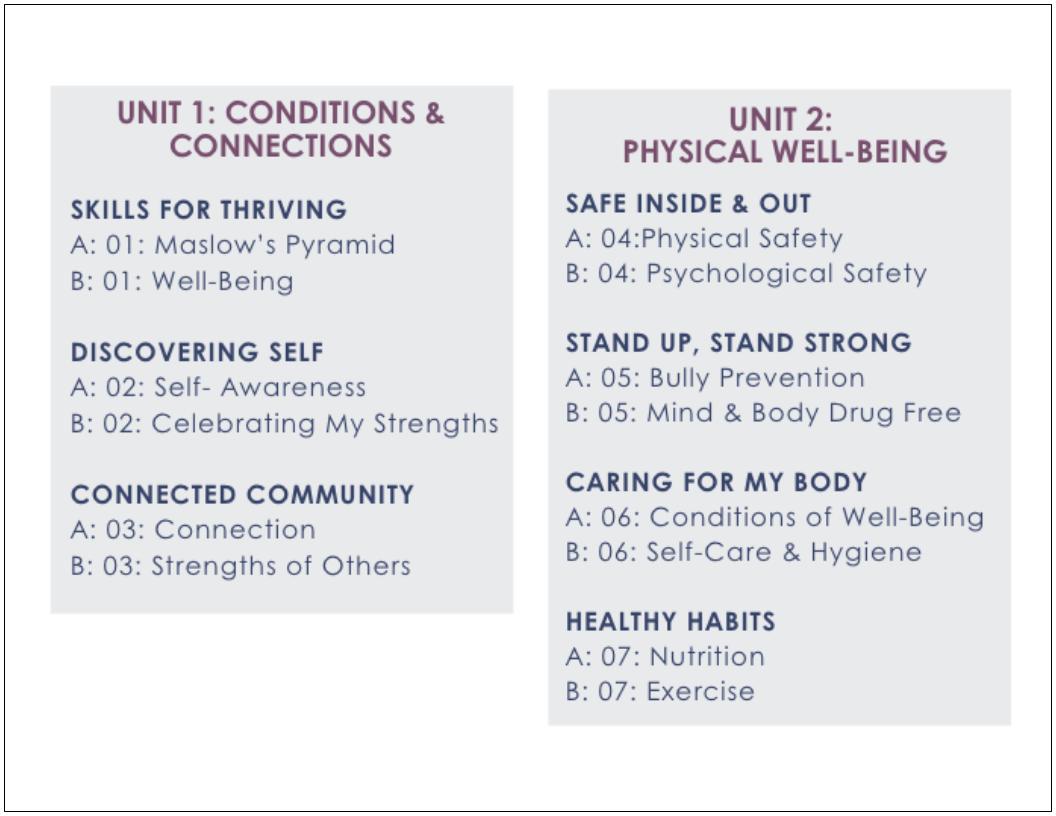
4. The lessons are organized based on our well-being framework. Each area of well-being is organized as a unit.
- Unit 1: Conditions and Connection
- Unit 2: Physical Well-Being
- Unit 3: Social Well-Being
- Unit 4: Emotional Well-Being
- Unit 5: Mental Well-Being
- Unit 6: Academic Well-Being
- Unit 7: Character & Citizenship
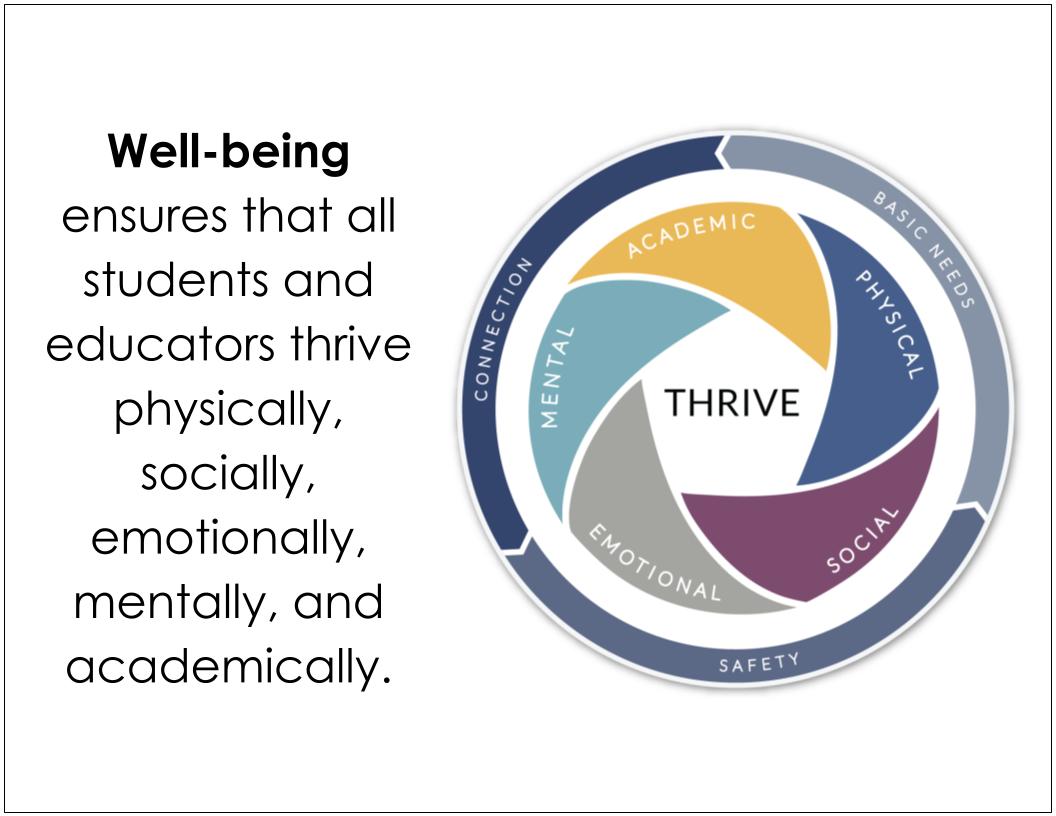
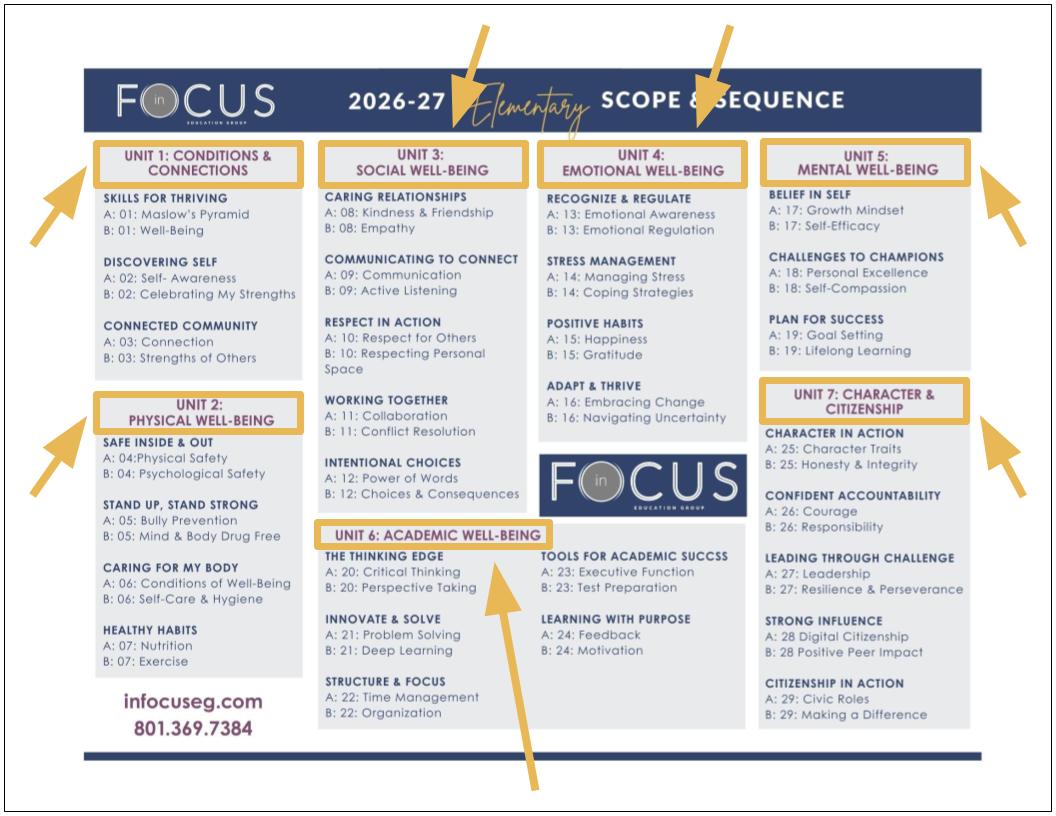
5. Each unit has lessons associated with that well-being competency area. (See the “Scope & Sequence” article for more information.)
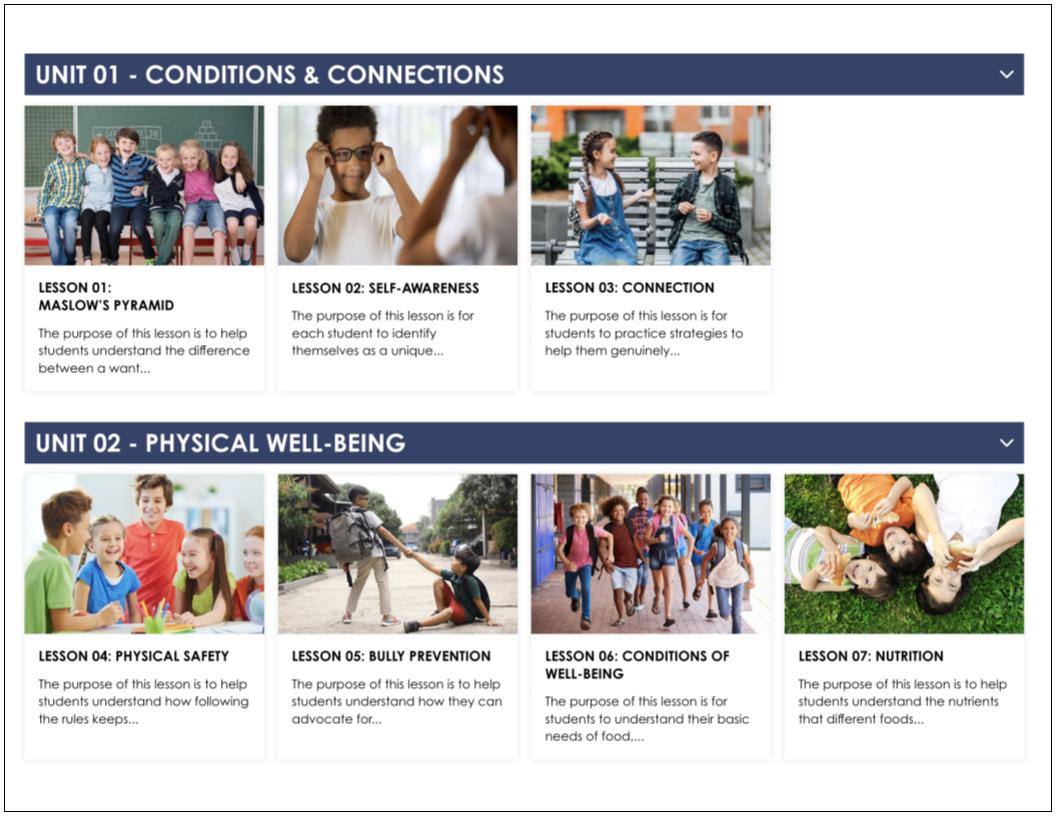
6. Select a lesson.
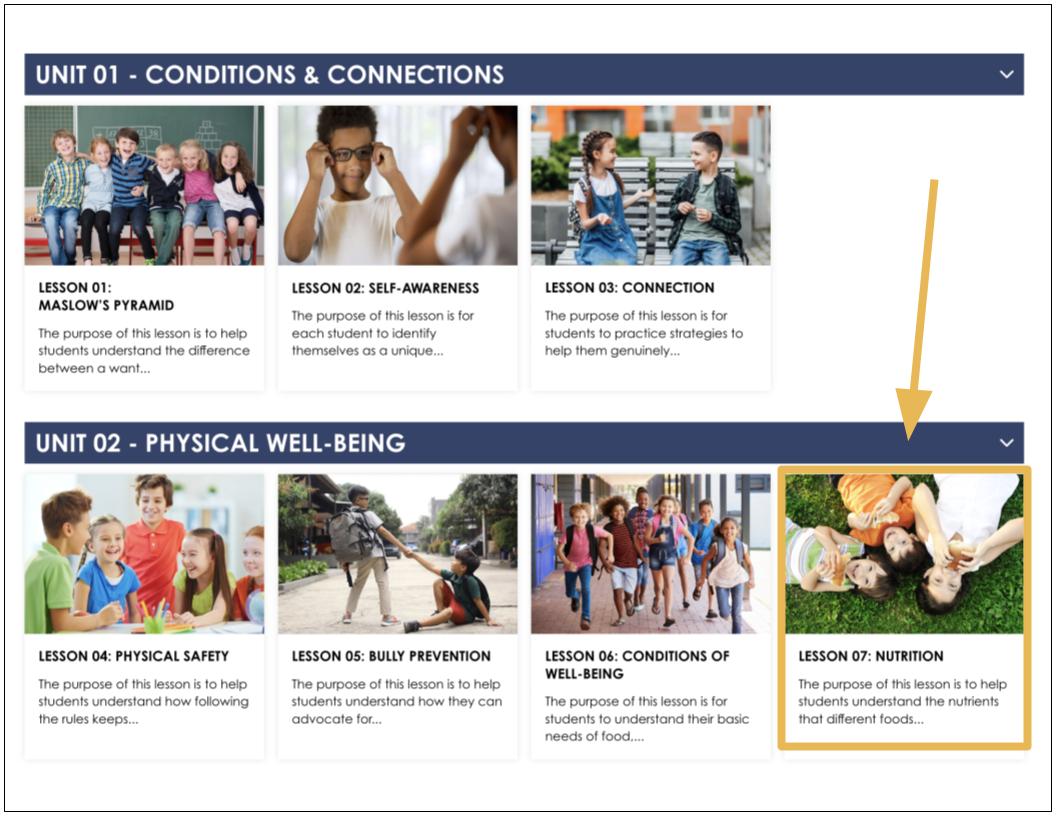
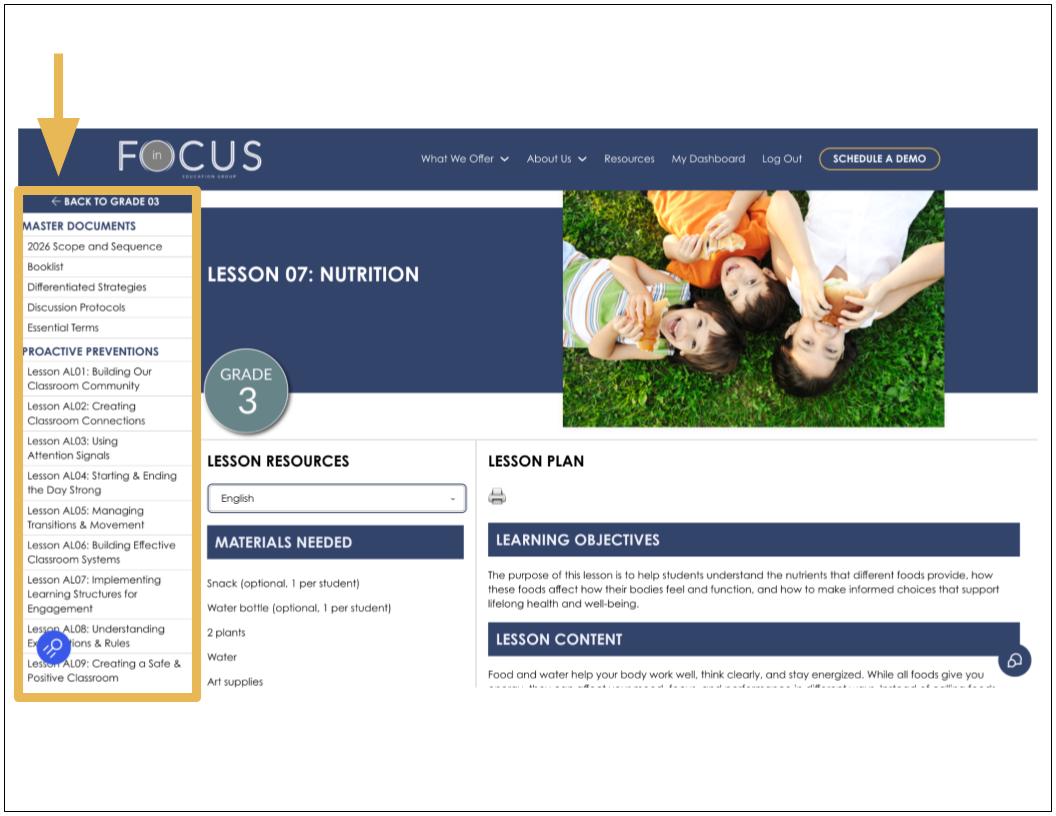
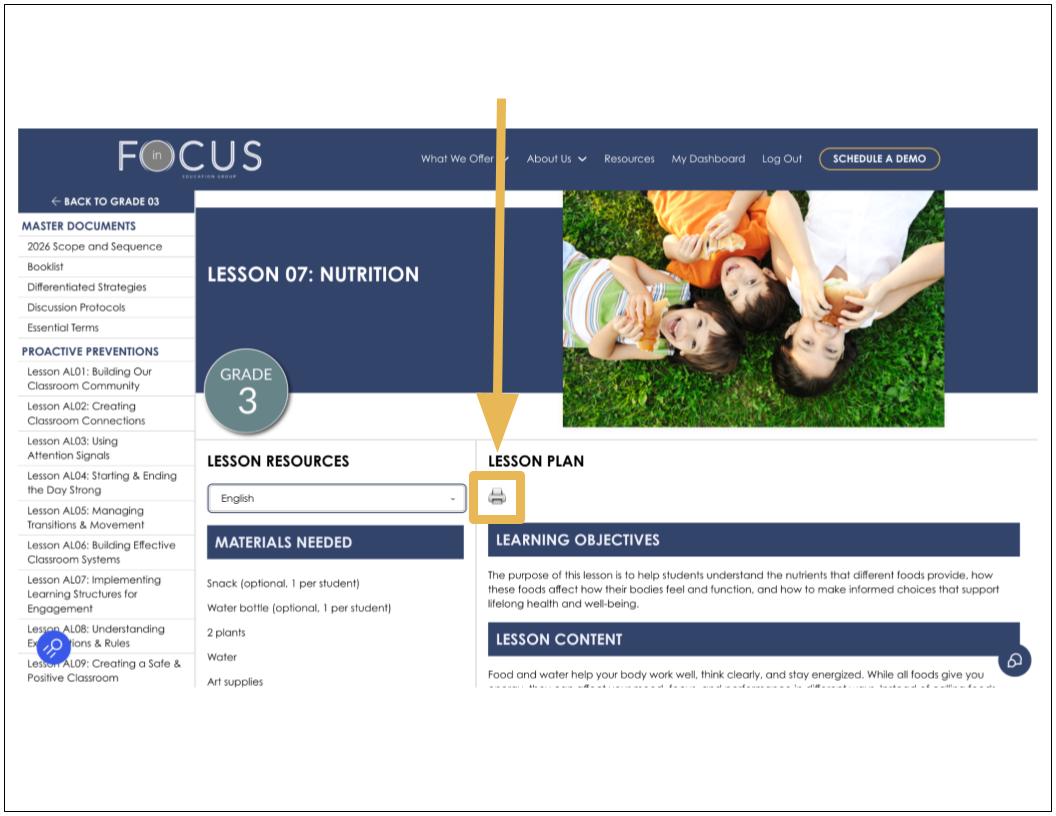
7. All of the selected grade’s lessons are listed on the left-hand side of the screen. You can select different lessons from this navigation bar.
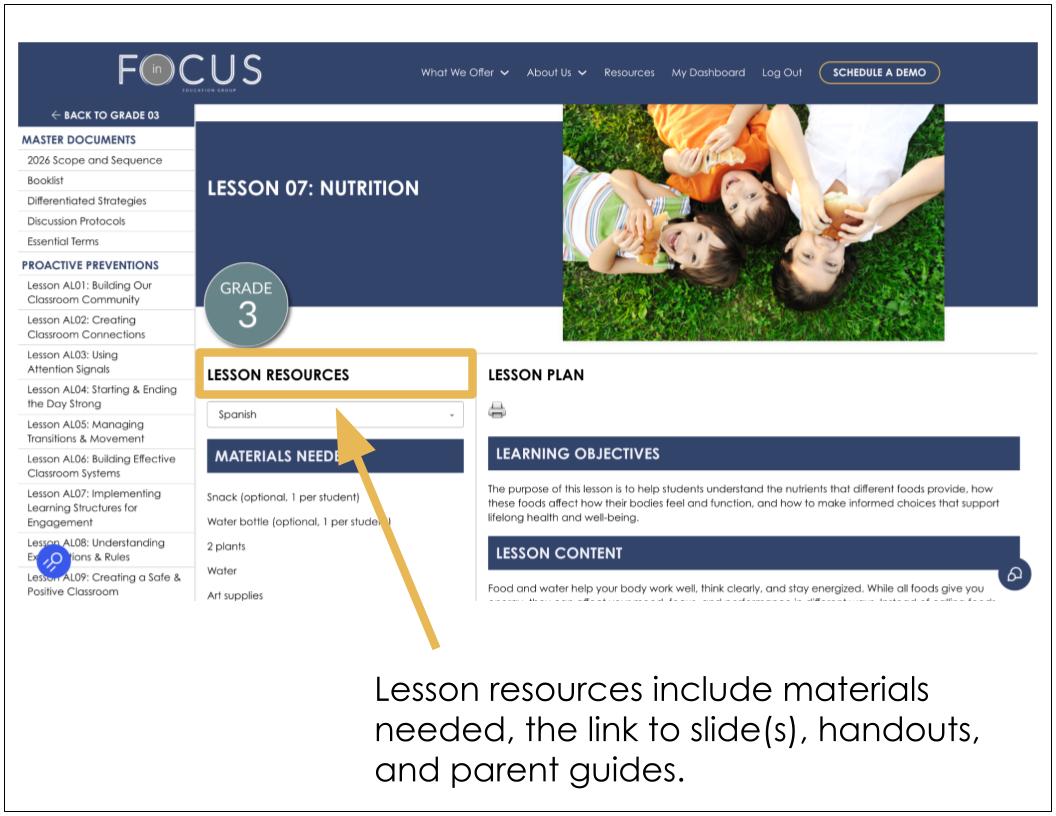
8. Lesson resources are listed in the middle of the screen, including the link to slides, handouts, and parent guides. If you need resources in another language, select the desired language here. (See the “Translated Features” article for more information.)
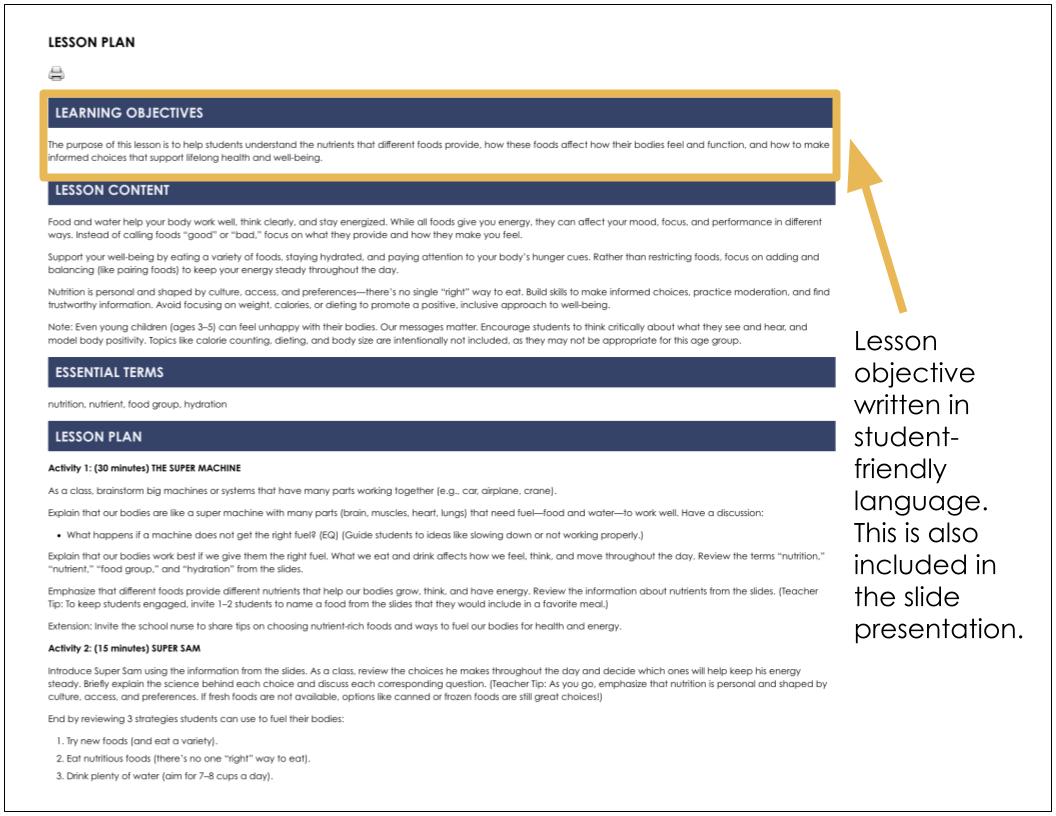
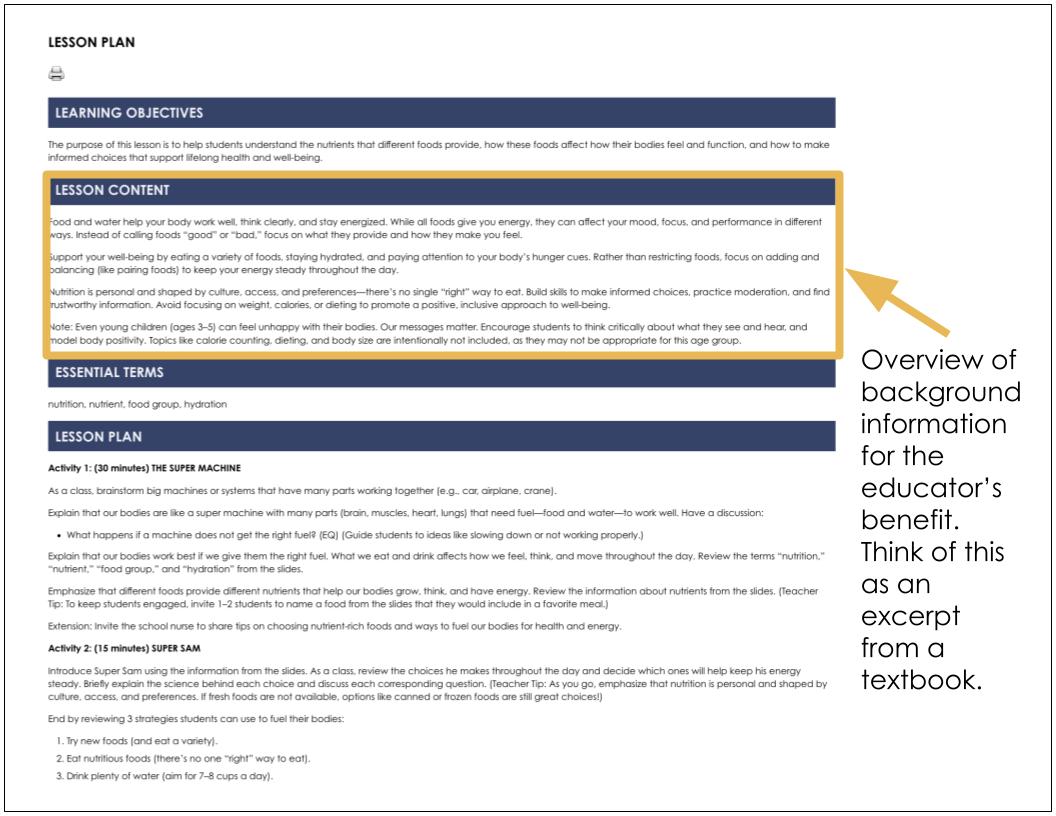
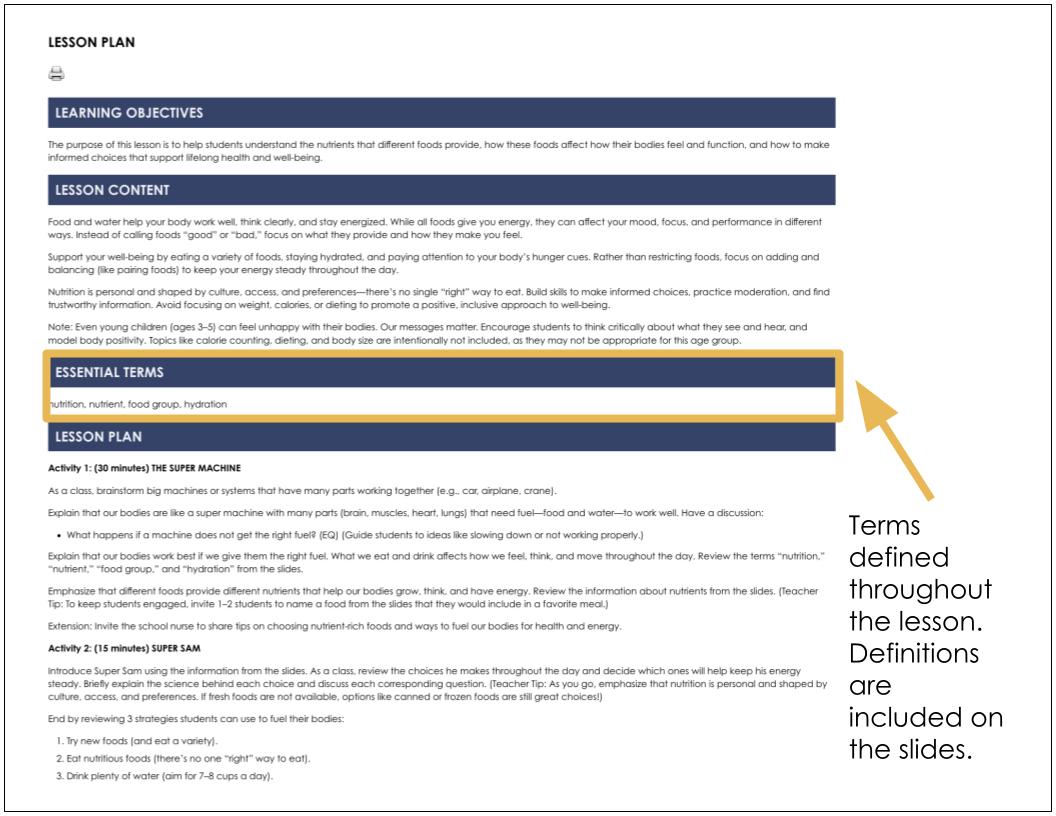
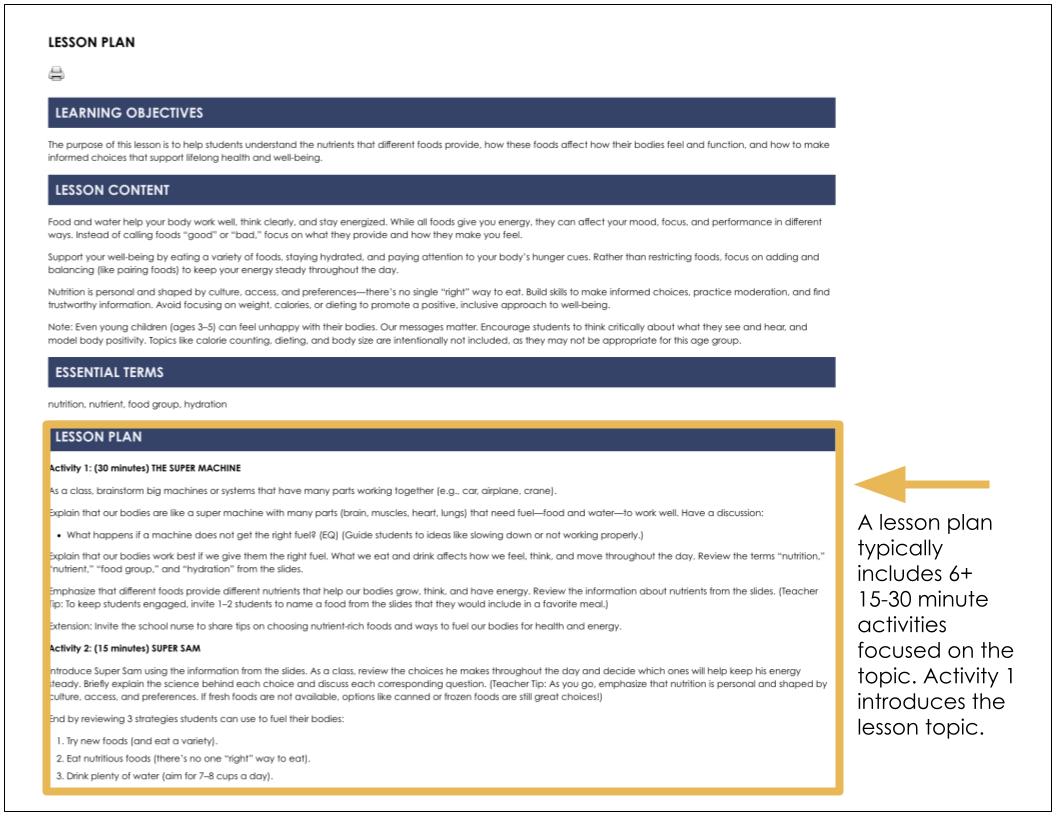
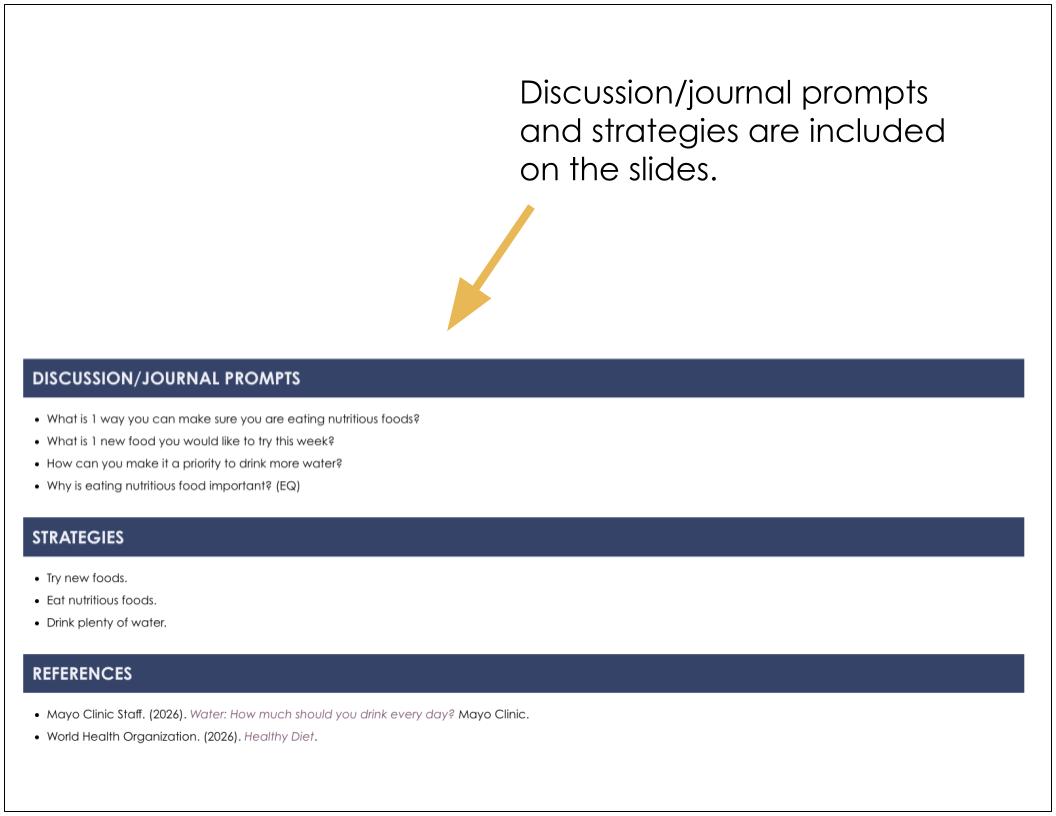
9. The lesson plan is found on the right-hand side of the screen, which includes learning objectives, lesson content, essential terms, lesson activities, discussion/journal prompts, strategies, and references.
10. For the printable version of the lesson plan, select the printer icon.
Note: Any videos or read-alouds referenced in a lesson are embedded in the slides.